
Power Apps model-driven: the third way for business software — between SaaS and custom development
 Mārtiņš, MS SolutionsLast updated: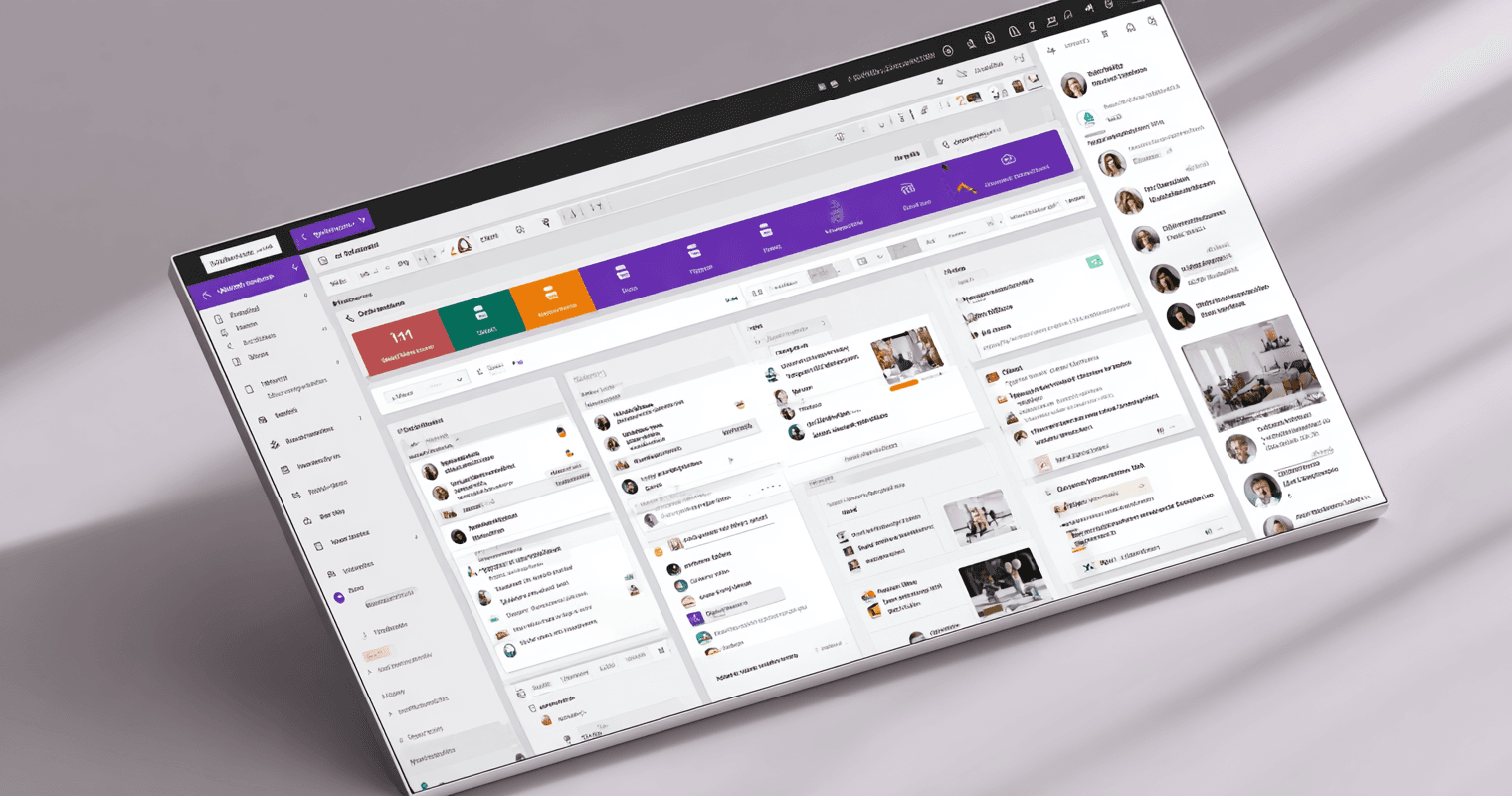
Most companies hit the same wall when their processes outgrow Excel — and the two paths forward both have a problem at the root. The first is SaaS: either one rigid product that forces you to adapt your workflow, or a „SaaS zoo" of niche tools that never properly integrate. The second is custom development: quotes that turn a focused project into a six-figure commitment, plus the bug, security, and edge-case risk of building every layer yourself. The math is brutal either way — a single SaaS CRM at €50 per user per month is €30,000 over five years for a team of ten, and most companies end up paying for four or five such tools in parallel. There is a third way that Microsoft built — present in nearly every business already running Microsoft 365, yet almost never deployed as a serious business platform: Power Apps model-driven, a production-ready platform for building configurable business applications inside your existing Microsoft tenant.
We have delivered business application solutions to 30+ organisations on the Microsoft platform, including Power Apps model-driven implementations. This article explains what Power Apps model-driven actually is, what it costs in real numbers, how it compares to the alternatives you already know, and how to start.
Why "configurable business software" is so hard to find
Companies past the Excel ceiling hit the same wall — the two paths forward both have a problem at the root. SaaS forces you to adapt your business to fit someone else's template, or to buy multiple products that never properly integrate. Custom development gives you exactly what you want, but at a price and timeline that turn a focused project into a six-figure commitment — plus the bug and stability risk of building every layer yourself. Each path has the same root problem — neither lets the software shape itself to the business.
The Excel ceiling is the obvious one. A spreadsheet works beautifully until two or three people need to update it simultaneously, or until the volume of data makes search and reporting unworkable, or until you discover three different versions of "the master file" living on different laptops. It works until it suddenly doesn't.
The SaaS misfit is more subtle. A niche product designed for a specific process — say, a CRM — assumes every company runs sales the same way. Your sales process is different. So you adapt your process to fit the SaaS. You end up using maybe 30% of the product's features, your team works around the parts that do not match, and the original reason you bought the software quietly gets lost. The product looks polished. The implementation feels like you are paying to make your business worse.
The SaaS sprawl compounds this — what we call the „SaaS zoo". A typical mid-sized company ends up running five to ten different SaaS products in parallel: one for CRM, one for project management, one for document signing, one for help desk, one for time tracking, one for expense tracking. Each has its own per-seat licensing cost. Each holds a slice of your data on someone else's infrastructure. Connecting them means building fragile API integrations that break when any vendor pushes an update. Identity and access management is its own mess — different logins, different permission models, different audit trails. The total monthly bill rarely shocks anyone in isolation. The annual figure is sobering.
Custom development looks like the escape route. You can have exactly what you need — built from scratch to your specification. Then the quote arrives. It is two to five times higher than you expected, the timeline is six to twelve months, you are locked to whoever wrote the code, and you carry the full risk of bugs, security holes, and edge cases that come with building every layer yourself — authentication, permissions, audit trails, integrations, scaling. The project is real, but for most mid-sized companies it is not viable. So they stay with the Excel-plus-SaaS-zoo status quo, and the hidden cost — the cost of compromising the process to fit the tools — compounds quietly year after year.
Calculator
What is your SaaS sprawl actually costing you?
What if all of this were one app, in your tenant, that fits your process?
What Power Apps model-driven actually is
Power Apps model-driven is a Microsoft platform for building structured business applications without starting from scratch. The simplest way to place it — if you have heard of Microsoft Dynamics 365, Microsoft's flagship CRM and ERP suite, Power Apps model-driven is the platform Dynamics is built on. Same engine, same data layer, same Microsoft-grade security and governance — but configured to your business instead of theirs. You get the production-ready core of a business application — data tables, search and filter views, forms with fields and tabs, business process stages, role-based security — and you assemble those components to match your specific operational logic. The data lives in Dataverse, Microsoft's secure and scalable data layer, inside your own Microsoft tenant.
It belongs to the broader Power Platform family — the same family that contains Power BI, which most business managers already recognise. Power BI is for reporting and analytics. Power Apps is the application builder. They share the same underlying data layer and the same Microsoft identity and governance.
A model-driven app is built around data, not around screens. You define your tables — Customers, Deals, Products, Invoices, whatever your business actually tracks. You define the relationships between them — a customer has multiple contacts, a contact owns multiple deals, a deal includes multiple products. You build views — filtered, sorted, grouped lists that show exactly the slice of data each role needs to see. You build forms with tabs, sections, mandatory fields, conditional logic that shows or hides fields based on context. You build business process flows that move a record through stages — qualified, proposal, negotiation, won — with the rules and approvals appropriate to each stage. Microsoft handles the security model, the audit logging, the search infrastructure, the mobile rendering. You handle the logic that is specific to your business.
The same shape applies to any structured business process — not just sales. Procurement: suppliers, purchase orders, line items, approval stages. Production: work orders, materials, stages, quality checks. Maintenance: equipment, scheduled jobs, technicians, completion records. Quality control: incidents, root-cause categories, corrective actions, sign-off stages. The platform stays the same — only the tables, fields, relationships, and stages change.
The visual style is plain. This is not a polished consumer SaaS landing page. It looks like a serious business application — clean, structured, dense with information when it needs to be, with the Microsoft 365 chrome your team already recognises. For some buyers, this is a problem. For most buyers running real operational work, it is exactly right. A sales manager reviewing a pipeline of 400 opportunities does not need rounded corners and animated transitions — they need to filter, sort, and act fast.
When you need more than the platform provides out of the box, you can extend it with code — PCF (Power Apps Component Framework) components, React, custom plugins. The extension does not break the platform. The core stays stable while you add what is specific to you.
Open one of these apps and the shape is consistent — a left navigation grouping your tables and views, the active view showing a list of records with filterable columns, one click opens a record with all its detail, and from that detail you navigate naturally to related data. From a customer record you see their contacts, their deals, their purchased products, their open invoices, their total lifetime value — all linked by the underlying data model, all accessible from one screen. The point worth holding: this is a business application builder, not a no-code toy. The output is software that real teams run real operations on.
One platform, many shapes — what we actually build on it
Power Apps model-driven is not a product — it is a foundation. We have used it to build CRMs, custom invoice management systems, delivery management platforms, and full operational platforms that combine sales, asset management, production tracking, and back-office workflows into a single application. The right question is not "is Power Apps a CRM?" — it is "what process do you need to digitize?"
The most common entry point is a CRM. A company knows they have outgrown spreadsheets for tracking customers and deals, they evaluate a few off-the-shelf CRMs, and they realise the standard products do not quite fit. Power Apps gives them a CRM that fits — with the pipeline stages, custom fields, role-based views, and integrations they actually need.
Sometimes the project ends there. Often, it does not. One pattern repeats: a company came to us asking for a CRM. After scope discovery, the CRM was about 10% of what they actually needed. The other 90% was their real operational logic — the way they tracked assets through every stage of their business, from acquisition through processing, through internal allocation, to eventual sale. Logic their existing software simply could not hold. We built it as a single platform. What started as "we need a CRM" became the system that runs the business.
This pattern is the strongest argument for Power Apps as a category. Most companies do not actually need a CRM, an ERP, a project tracker, a delivery system, and a document register sitting next to each other and arguing over data. They need one platform that holds their operational logic in a single, coherent shape, with one identity layer, one security model, one place to look. Power Apps can become a mini-ERP — not by trying to replicate SAP, but by being the structured spine for the operational processes your finance ERP does not touch.
To be clear about what Power Apps is not: it is not a replacement for your finance or accounting ERP. Those systems exist for a reason — they handle financial records, statutory reporting, ledger management. Keep them. Power Apps fills the periphery around that core — the operational processes your finance ERP does not touch. Production tracking, maintenance scheduling, quality control, CRM, supplier coordination, document workflows, project management. The processes that today live in spreadsheets and a sprawl of SaaS tools, never properly connected to anything. That is where Power Apps creates value.
The principle that keeps coming back in client conversations:
Business value is the process, not the software. When a process works for a company, the software's job is to honor it — not to break it to fit a template some other company shipped.
How Power Apps model-driven compares to the alternatives
Compared to a SaaS product, Power Apps model-driven gives you full configurability with data in your own Microsoft tenant. Compared to traditional custom development, it gives you a production-ready core, faster delivery, and no vendor lock-in. The trade-off is honest: it does not look as polished as a niche SaaS product, but it works for real business operations and bends to your process — not the other way around.
| SaaS product | Custom development | Power Apps model-driven | |
|---|---|---|---|
| Configurability | Limited — you adapt to the product | Unlimited — you start from zero | Extensive — production core, you extend |
| Time to first working version | Weeks of setup and learning | 3-6+ months | 1-2 months |
| Cost structure | €/user/month, forever | High upfront + ongoing maintenance | Lower upfront + standard Microsoft licensing |
| Vendor lock-in | High — your data lives on their servers | High — locked to your development partner | Low — Microsoft platform, any partner can continue |
| Data ownership | Vendor's infrastructure | Your servers (if self-hosted) | Your Microsoft tenant |
| Integration with other systems | Limited — vendor's API ecosystem only | Full — but you build everything | Full — 800+ connectors plus custom code |
| Auth and governance | Separate identity / SSO if you are lucky | Build it yourself | Microsoft Entra, central IT control |
| Scales with your business | Until the SaaS hits its ceiling | Yes, with proportional cost | Yes, modular by design |
| Look and polish | Often polished, often shallow | Whatever you pay for | Functional, business-grade, extendable |
A reasonable objection in 2026: with LLM-assisted development, cannot a developer build a custom app fast and cheap? Short answer — an LLM can help a developer scaffold an application quickly, and that part is real. What it does not give you for free is production-grade authentication, role-based security, audit trails, governance, scaling, and integration into the Microsoft ecosystem your business already runs on. Those are the parts that look easy and turn out to be 70% of the work. Power Apps gives them to you on day one.
What it costs and how fast you can start
Most Power Apps model-driven projects we deliver fall in three bands. Focused single-process apps run €3,000-10,000. Broader apps covering multiple processes with workflow logic run €7,000-15,000. Larger platforms with multiple integrations and complex operational flows run €15,000-25,000. Delivery typically takes one to two months from agreed specification to go-live, including testing and team training.
It is rare for the first phase of any project to exceed €20,000. Apps grow over time — that is the whole point — but the first deliverable is deliberately focused. Get something real running in production, see how it works against your operation, then expand. The pattern is "start small, expand step by step" rather than "design the whole system, build for a year, hope it lands."
Work runs in agile mode against an agreed scope, billed hourly. Course corrections during implementation are normal and expected, not penalised. The specification phase sets a clear scope and rough budget, and the implementation phase adapts as you learn what the team actually needs.
Microsoft licensing is part of the picture, but typically a modest one. Microsoft 365 already includes basic Power Apps usage and a baseline Dataverse capacity — every company with M365 licences has the entry-level building blocks. When an app exceeds those entitlements (heavier usage, larger data volumes, premium connectors), premium Power Apps licensing applies on a per-user or per-app basis. The numbers are real, but they almost always come in lower than what the same company is paying for three or four parallel SaaS subscriptions today.
A plain comparison: a niche SaaS at €50 per user per month, for 30 users, over 5 years, totals €90,000 — before any integration work. One Power Apps build at €15,000 plus Microsoft licensing for the same period typically costs a fraction of that, with a system shaped to your actual process rather than someone else's template.
How to start
Every Power Apps model-driven project we deliver starts with specification — a structured discovery process where we work with you to define what the app actually needs to do, before any code is written. The specification is delivered as a document regardless of whether you continue with implementation. This removes the most common bottleneck for businesses considering custom software: the trap of trying to write your own requirements in isolation, never quite finishing, never quite starting.
The pattern most companies fall into is recognisable. The management team agrees they need new software. Someone is asked to "draft the requirements" so they can take it to vendors. The draft is supposed to land in two weeks. Six months later, it is still being revised. Real life keeps happening — the requirements document never quite reaches the point where anyone is confident enough to act on it. The project never starts.
Specification-first inverts this. You do not need to know what you need. You need to know what is not working. We work through the operational reality with you — what processes you run, where the friction lives, what data needs to connect to what, who needs access to what — and the structured specification falls out of that conversation. Our project management team's job is to deliver the best possible product within the agreed budget, and to keep that budget visible as the work progresses.
If you stop at any point — mid-specification, at the end of specification, after the first prototype — you walk away with the documentation that has been produced. No lock-in. No wasted spend on a process that did not fit. The specification document remains useful to you regardless of who eventually implements it.
Once specification is complete, implementation begins. The earlier work means the implementation phase rarely surprises anyone — the scope, the cost, and the timeline are clear before any code is written.
Why this is the right shape for mid-sized companies
Power Apps model-driven is still rare outside Microsoft enterprise customers — including in markets like Latvia, where Power BI has real recognition among business managers but the broader Power Platform remains largely unknown. This is starting to shift, but slowly. Companies that adopt now are operating with a category-defining tool that their competitors have not yet found.
The fit is strongest for companies past the Excel ceiling but not yet large enough to justify a six-figure custom development project. A turnover above €10 million is a rough indicator, but the real predictor is operational complexity — companies running several distinct processes that no longer fit in spreadsheets and that no single SaaS product properly handles. These companies have established processes that work — processes worth keeping, not breaking to fit a SaaS template — and they have IT teams who appreciate that Power Apps runs on the same Microsoft Entra identity and governance they already manage. There is no separate admin panel to learn, no parallel security model to audit, no third-party vendor to negotiate with about data residency.
"What Power Apps model-driven enables is software shaped to your process, not your process broken to fit the software. With the companies we work with, it often starts as 'we need a CRM' and ends as 'this is the system that runs our business.'" — Mārtiņš, MS Solutions
Whether you are replacing a SaaS product that no longer fits, considering a custom development project that feels too large, or trying to consolidate a sprawl of disconnected tools — the question worth asking is whether the third way fits your problem better than the path you were defaulting to.
Frequently asked questions
Want to see how this could work for your business?
Book a working session and we'll walk through your operational reality and show what a Power Apps model-driven solution could look like — concretely, on your data.